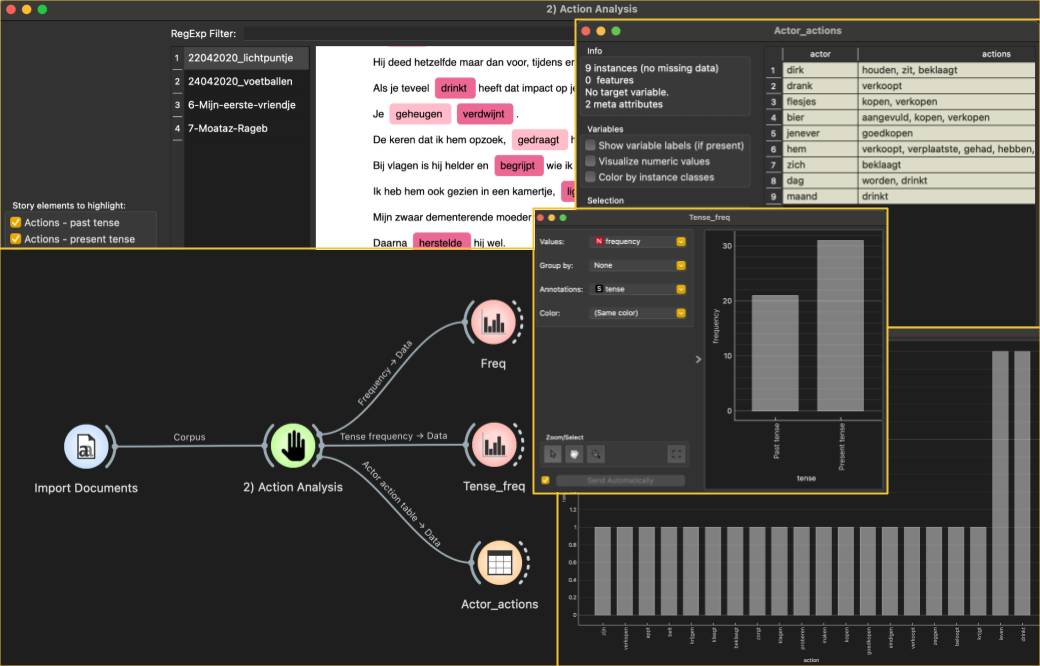
Elements

The Elements Analysis widget is part of the Orange Story Navigator add-on, designed for Natural Language Processing (NLP) tagging of actors and actions in textual stories. It serves as a tool for extracting relevant information from stories, particularly useful in the context of narrative analysis and text mining.
Main Features
NLP tagging: Utilizes Spacy’s natural language processing capabilities to analyze and tag text, identifying actors (subjects) and actions within sentences.
Custom tagging: Supports the incorporation of custom tags and word columns for tailored analysis, allowing users to define specific categories for tagging.
Language support: Available in multiple languages, including English and Dutch, with support for additional languages in future updates.
Segment analysis: Divides stories into segments for more granular analysis, enabling users to examine tagging patterns within specific sections of text.
Error handling: Implements robust error handling mechanisms to ensure smooth processing even in the presence of unexpected inputs or issues.
Inputs
Custom tags (optional): allow users to define and highlight specific categories or entities in the text based on their requirements or domain expertise. These custom tags are typically user-defined labels that represent meaningful concepts or entities within the stories.
Users can define custom tags to identify entities such as named entities, key concepts, thematic categories, sentiment indicators, or any other domain-specific elements of interest.
Custom tags can for example be imported as a csv file via file from the Data module
By incorporating custom tags into the analysis, users can gain deeper insights into the textual content and extract meaningful information tailored to their specific needs.
Stories: The text of a story to be analyzed. The module will not work without this input. It could be any textual content, such as a news article, a blog post, a social media post, or any other form of written text. The widget assigns a unique identifier to the story, distinguishing one story from another within the corpus of stories.
Widget options:
Language: Specifies the language of the input stories, currently supporting ‘en’ (English) and ‘nl’ (Dutch).
Number of Segments: Determines the number of segments into which each story will be split for analysis.
Outputs
Story elements: The elements widget generates a data table containing tagging data for all stories processed. Each row in the datatable represents a tagged token within a sentence, providing comprehensive information for further analysis and interpretation. It includes the following columns:
sentence: The text of the sentence within the story.
token_text: The text of the token within the sentence.
token_text_lowercase: The lowercase version of the token text.
index: The index of the token within the sentence.
story_id: An identifier for the story to which the sentence belongs.
token_start_idx: The starting index of the token within the sentence.
token_end_idx: The ending index of the token within the sentence.
story_navigator_tag: The assigned tag for the token based on its role in the sentence.
spacy_Tag: The coarse-grained part-of-speech (POS) tag of the token.
spacy_finegrained_tag: The fine-grained POS tag of the token.
spacy_dependency: The syntactic linguistic dependency relation of the token.
is_pronoun_boolean: Indicates whether the token is a pronoun (True or False).
is_sentence_subject_boolean: Indicates whether the token is a subject of its sentence (True or False).
active_voice_subject_boolean: Indicates whether the token is involved in an active voice subject role in the sentence (True or False).
associated_action: The associated action or verb corresponding to the token.
sentence_id: A unique identifier for each sentence within a story.
segment_id: A numerical identifier indicating the segment to which the sentence belongs, based on the specified number of segments to split each story into.
associated_Action_lowercase: The lowercase version of the associated action.
lang: The language of the sentence.
num_words_in_sentence: The number of words in the sentence.
Example usage: